What does Requisitions do?
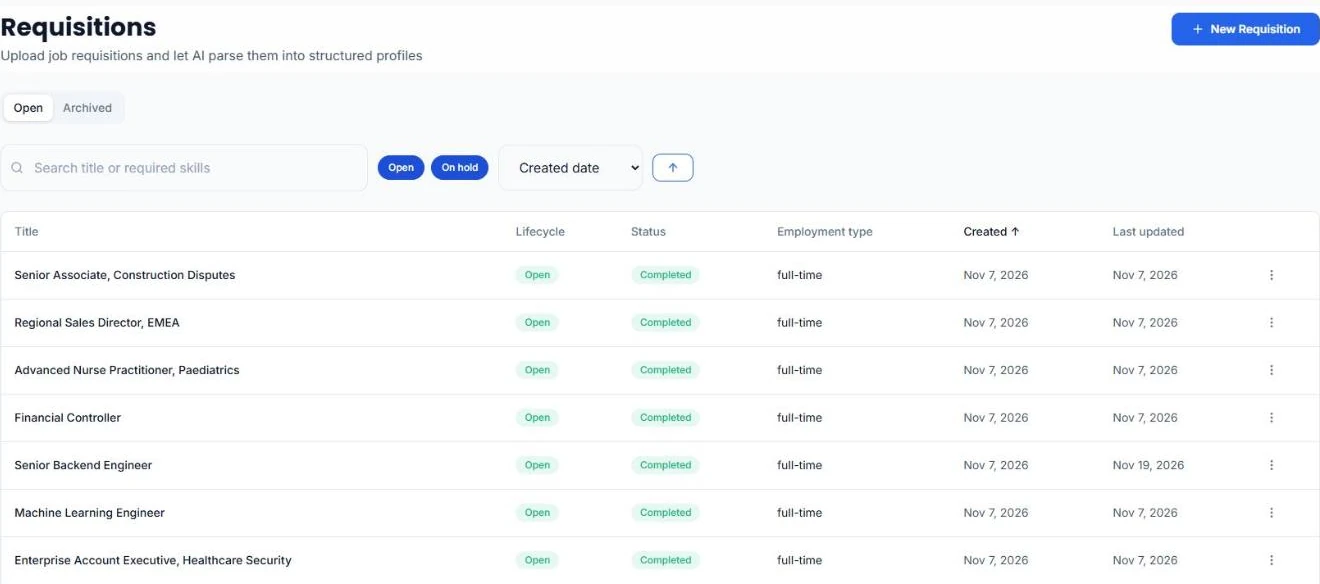
Every job you’re working on is a requisition: the spec, plus the criteria HireUp extracts from it. The Requisitions page lists them under Open, for roles that are Open or On hold, and Archived, for roles that are Filled or Closed. Search by title or required skill to find one. As the role moves, move its requisition between Open, On hold, Filled and Closed.
How do I add a requisition?
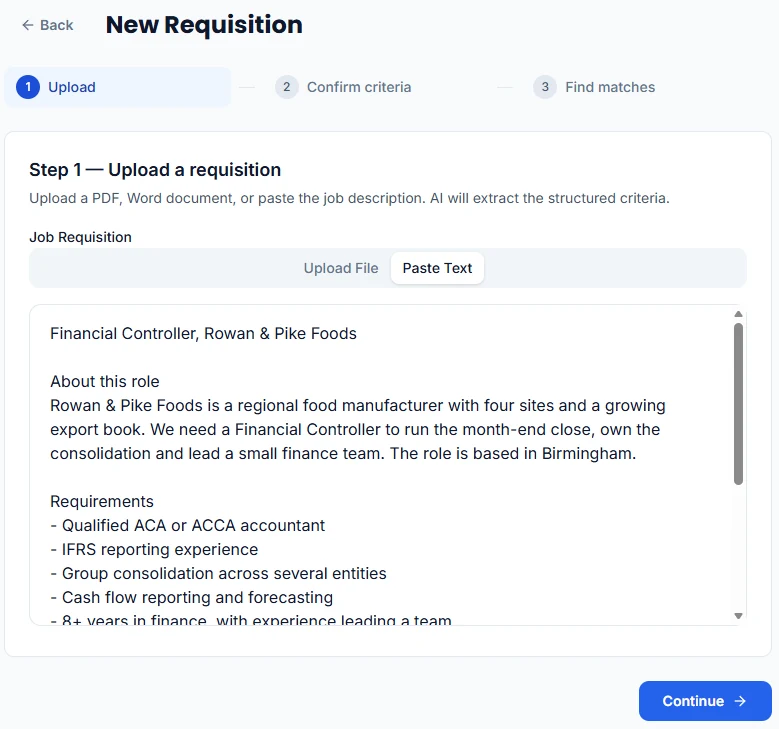
Click New Requisition, then upload the spec as a PDF, Word or TXT file up to 10 MB, or paste it as text. HireUp parses it in the background and moves on to the criteria when it’s done.
Step by step: How do I create a requisition and match candidates to it?
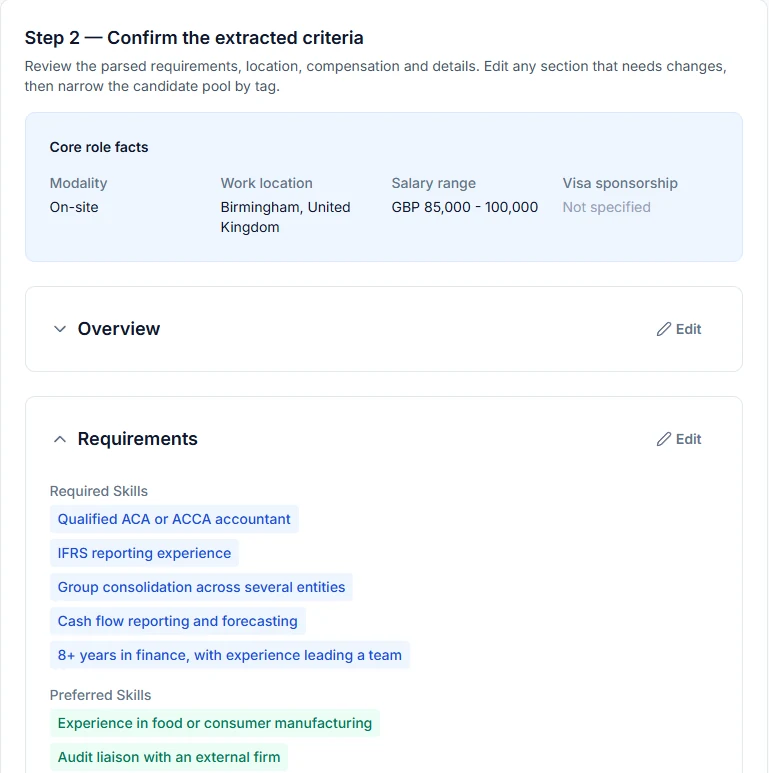
What does HireUp pull out of the spec?
The job title, required and preferred skills, experience, education, certifications and tech stack, the location and workplace (on-site, hybrid or remote), visa sponsorship, the salary or OTE range, and questions to ask candidates. You check and edit any section before you match, and you can narrow the pool by tag. If the spec changes, Update re-parses the requisition from a new file or text.
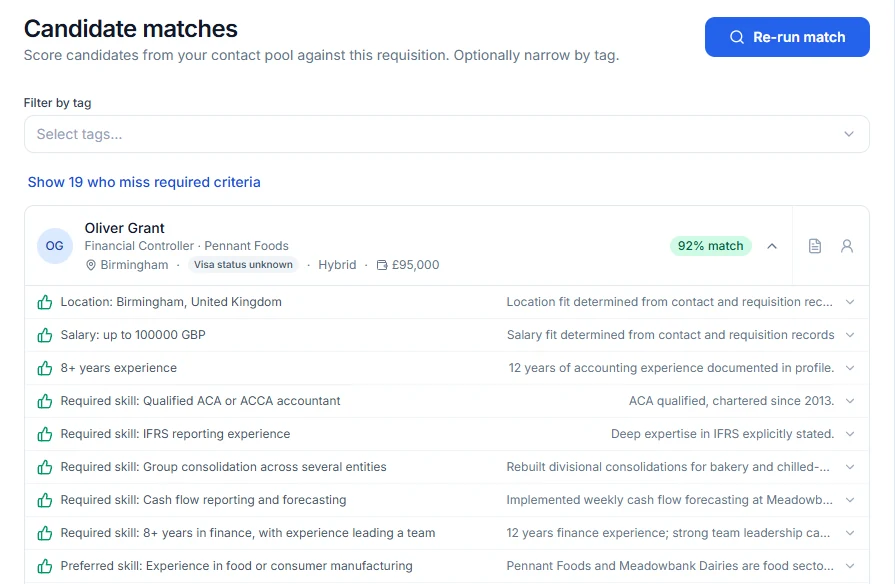
How are candidates matched?
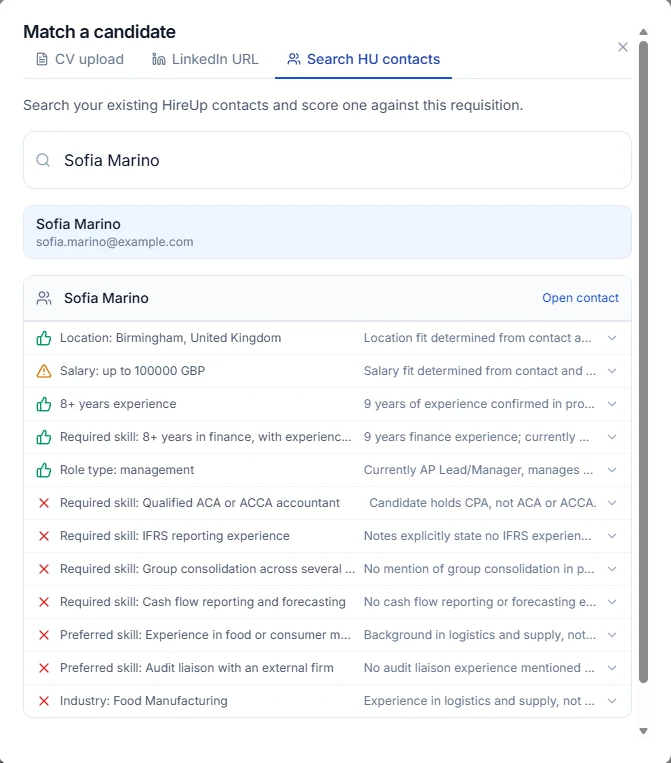
Find matches scores your contacts against the requisition, or only the contacts with the tags you choose. Each result shows a % match, the candidate’s location, sponsorship, workplace and salary, and the evidence for each criterion, marked Match, Possible match or Not matched. People who miss a required criterion are hidden until you choose to show them. To ask something the evidence doesn’t answer, type it into Ask about on that candidate.
Can I check one candidate against a role?
Yes. Match candidate scores one person against the requisition in three ways: upload their CV, which is scored without adding them to your contacts; paste the LinkedIn profile URL of an existing contact; or search your HireUp contacts. You get the same evidence for each criterion.
How does a requisition connect to Workflow?
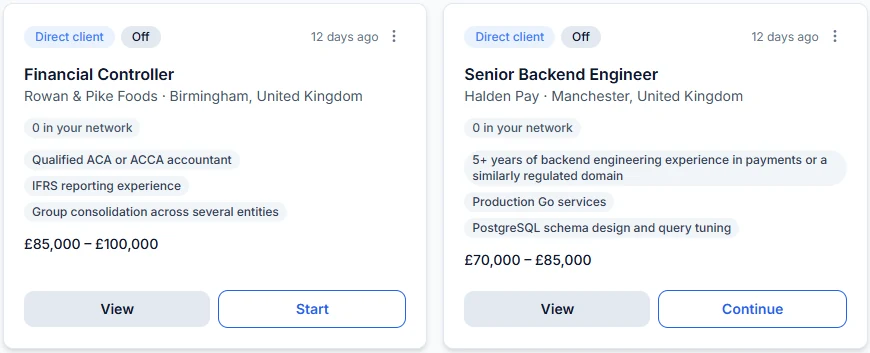
On Professional and Scale, Workflow runs sourcing from the same requisition. + Add job on the Workflow board creates the requisition, you check its requirements and click Approve & start workflow, and View on the job card opens the requisition.
Which plans include Requisitions?
Essential, Professional and Scale, and the two-week trial. On Free, Requisitions shows in the menu with an Upgrade badge, and opening it shows an upgrade prompt. Workflow, which runs sourcing from a requisition, is on Professional and Scale.
FAQ
Which plans include Requisitions?
Essential, Professional and Scale, and the two-week trial. On Free, Requisitions shows in the menu with an Upgrade badge, and opening it shows an upgrade prompt. Workflow, which runs sourcing from a requisition, is on Professional and Scale.
What can I upload?
A PDF, a Word document (.doc or .docx) or a TXT file up to 10 MB, or paste the job description as text.
Does scoring a CV add the candidate to my contacts?
No. A CV uploaded in Match candidate is scored against the requisition without adding the person to your contacts.
Do I need Workflow to use Requisitions?
No. Essential includes Requisitions without Workflow. On Professional and Scale, Workflow can run sourcing from the same requisition.