What does Recall search?
What candidates told your team. HireUp captures your emails, LinkedIn and WhatsApp messages and calls with each contact, and Recall searches them along with each contact’s resume, LinkedIn profile and ATS record. Nobody has to write notes or fill in fields for it to work. Read how HireUp captures conversations across WhatsApp, LinkedIn, email and calls.
How do I ask for a candidate?
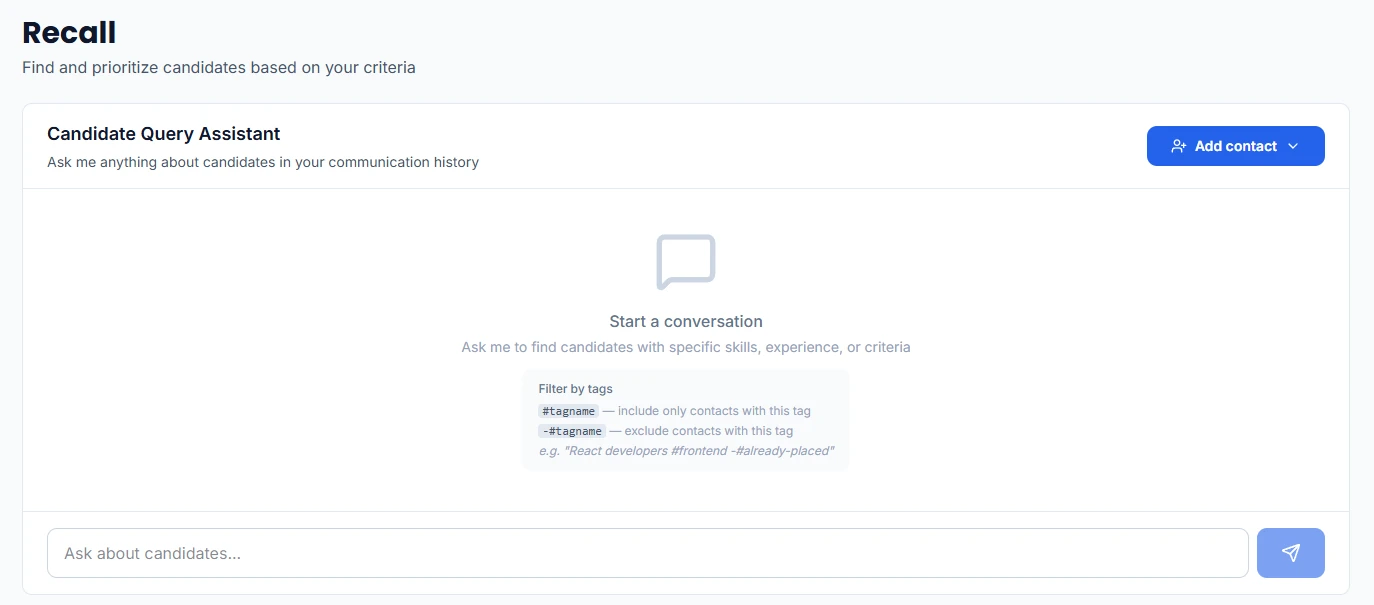
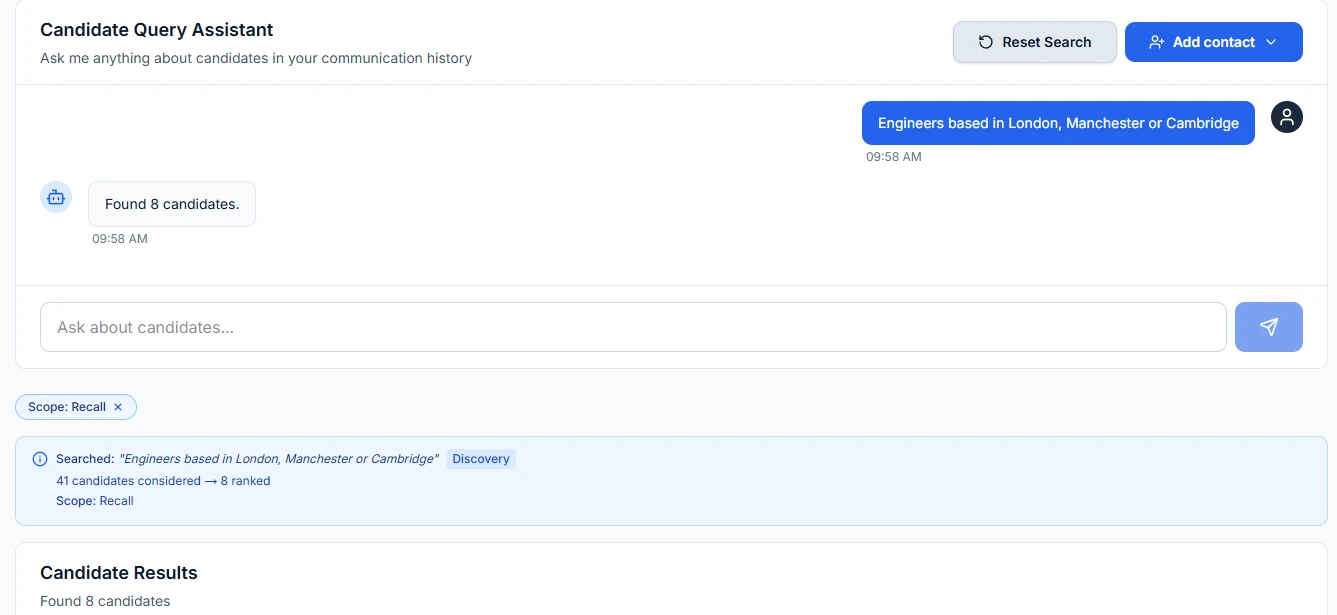
Type the brief into the Candidate Query Assistant the way you’d say it to a colleague. Recall ranks the candidates who fit. To narrow the search, add #tagname to include only contacts with that tag, or -#tagname to leave them out. A #tagname replaces the default Recall scope for that search.
Step by step: How do I find candidates in my database with Recall?
How do I know why someone matched?
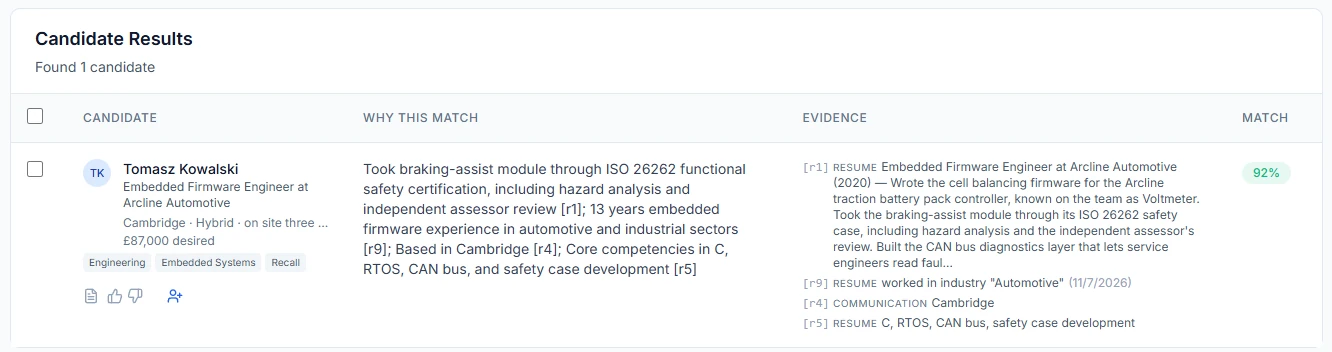
Every result has a match score, a Why this match explanation and its Evidence: citations to the conversation, resume, LinkedIn profile or ATS record behind the match. Each citation opens its source in a new tab. Click a candidate’s name to see their details and the evidence in a side panel, without leaving the results.
Which contacts does Recall search?
By default, the contacts tagged Recall. The results show that scope as a Recall chip and “Scope: Recall”. Clear the chip to run the same search across every contact; your next searches stay on the whole book until you press Reset Search. Contacts you add from the Recall page get the Recall tag already filled in, and any tag can take the Recall role under its Classification role setting.

What can I do with the results?
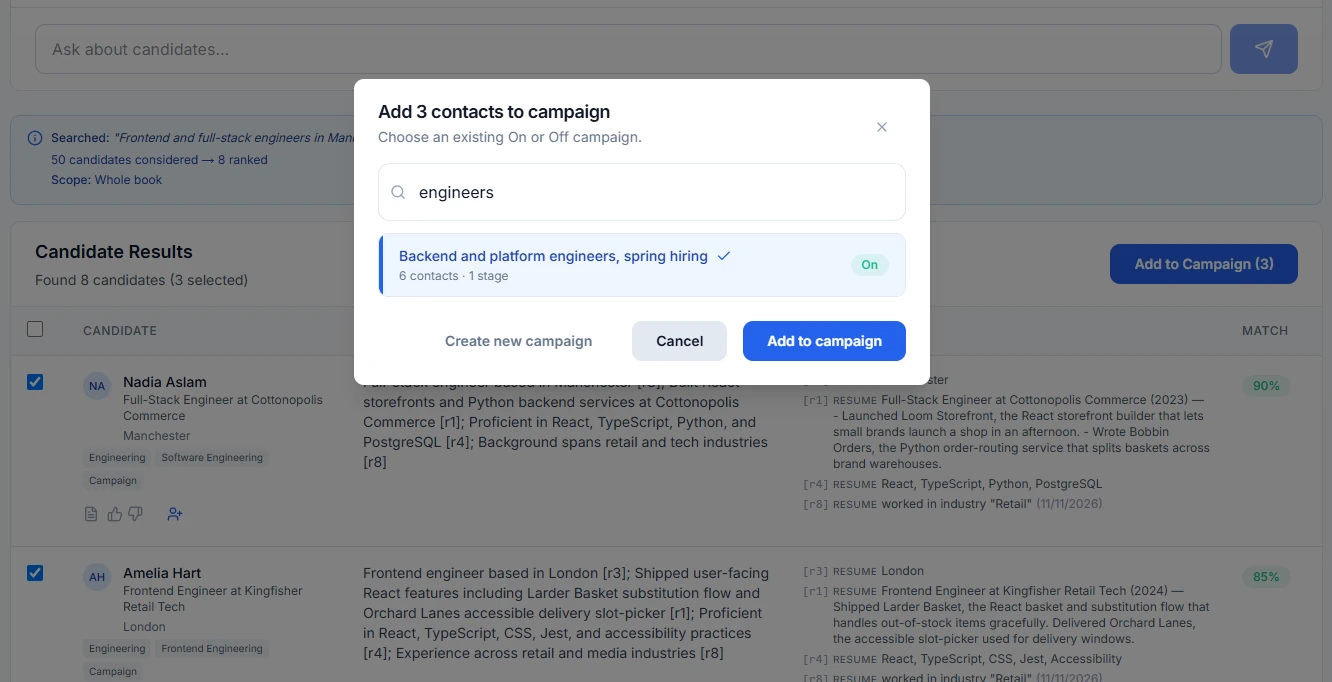
Add a candidate to a campaign from their row, or tick several and add them all at once, to an existing campaign or a new one. Rate a result with a thumbs up or down to say whether it fit.
Which plans include Recall?
Every plan, Free included, and the two-week trial. Plans differ in how many candidates Recall covers, shared across your organization: 100 on Free, 1,000 on Essential, 3,000 on Professional and 6,000 on Scale.
FAQ
Does Recall only search contacts tagged Recall?
No. Contacts tagged Recall are its default scope, shown as a Recall chip above the results. Clear the chip and Recall runs the same search across every contact.
Can I narrow a search by tag?
Yes. Add #tagname to your question to include only contacts with that tag, or -#tagname to leave them out.
Where does the evidence come from?
From what HireUp has on the candidate: their emails, LinkedIn and WhatsApp messages, calls, resume, LinkedIn profile and ATS record. Each citation opens its source in a new tab.
Which plans include Recall?
Every plan, Free included, and the two-week trial. Plans differ in how many candidates Recall covers, shared across your organization: 100 on Free, 1,000 on Essential, 3,000 on Professional and 6,000 on Scale.